
I’ve spent a good chunk of my career watching people drown in digital clutter, trying to manage their lives through a dozen different half-baked productivity tools. We’ve all been there: you have a brilliant idea during a meeting or a sudden realization while grocery shopping, but by the time you find the right place to scribble it down, the thought has already evaporated. Most people spend more time organizing their digital junk drawer than actually doing the work, which is exactly the kind of friction I try to eliminate. Finding the best note taking apps isn’t about finding the one with the most bells and whistles; it’s about finding the one that doesn’t get in your way when you’re running on zero brainpower.
In this guide, I’m stripping away the marketing fluff to give you five battle-tested options that actually hold up in the real world. I’m not interested in features that require a PhD to navigate; I want tools that serve your workflow, not the other way around. Whether you need a digital brain for complex projects or just a quick place to dump a grocery list, these picks will help you reclaim your mental bandwidth. Let’s get into it.
Table of Contents
The Minimalist’s Choice: Bear
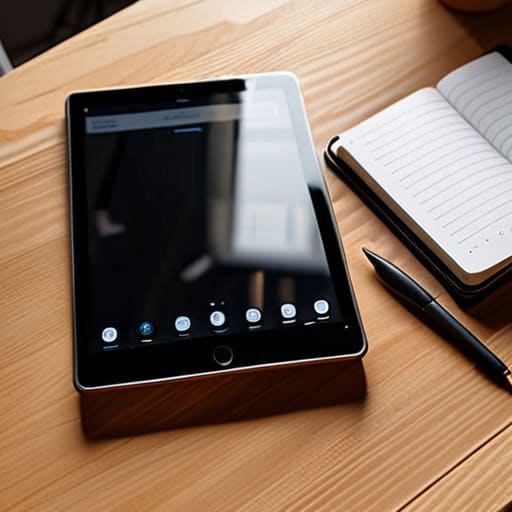
If you’re anything like me, you don’t want to spend forty minutes setting up a complex database just to remember a grocery list or a quick meeting thought. Bear is what happens when someone decides to strip away the noise and just let you write. It uses Markdown, which is a fancy way of saying it’s fast, clean, and doesn’t get in your own way while you’re trying to capture an idea before it evaporates.
The Powerhouse: Notion

Notion is the heavy lifter of the group, and I’ll be honest: it can be a total trap if you aren’t careful. It’s incredibly easy to fall down a rabbit hole of “productivity porn,” spending your entire Sunday building a custom dashboard instead of actually doing your work. I’ve seen too many people over-engineer their entire lives with Notion without actually accomplishing a single task.
The Second Brain: Obsidian

Obsidian is for the people who want to see how their thoughts actually connect. It’s not just a digital notebook; it’s a way to build a web of information. It uses local files, which means you actually own your data, a concept that is becoming increasingly rare in our subscription-heavy world. It’s a bit of a learning curve, but for long-term knowledge management, it’s unmatched.
The Fast & Dirty: Apple Notes
I know, I know. It feels “basic.” But there is a reason it’s pre-installed on every iPhone. When I’m mid-task and running on zero brainpower, I don’t want to wait for a heavy app to load or navigate a complex UI. I just want to tap a button and dump the information out of my head so I can get back to what I was doing.
The Professional Standard: Microsoft OneNote
If you are still operating within the Microsoft ecosystem for your professional life, fighting against OneNote is a losing battle. It’s structured much like a physical three-ring binder, which appeals to my sense of order. You have your sections, your pages, and you can even type anywhere on the canvas, which is helpful if you like to sketch out diagrams or rough layouts.
The Bottom Line
Stop hunting for the “perfect” app; pick the one that feels the least intrusive and start actually writing things down.
If an app requires more than two taps to capture a thought, it’s failing you—complexity is just another form of friction.
Your system is only as good as your discipline to maintain it, so choose a tool that fits your actual habits, not the idealized version of yourself.
The Frictionless Truth
A note-taking app shouldn’t feel like a second job; if you spend more time organizing your digital folders than actually capturing your thoughts, the system has already failed you.
Diane Sterling-Voss
Stop Searching, Start Writing
At the end of the day, there is no “perfect” app waiting to be discovered in a software update. If you need raw speed and simplicity, go with something lightweight. If your brain functions like a complex web of interconnected projects, you need the heavy-duty structure of a database-driven tool. The goal isn’t to collect more digital features; it’s to find the specific interface that allows you to capture an idea before it evaporates. Whether you choose a minimalist text editor or a robust workspace, the tool only matters if it stays out of your way when you’re actually trying to get things done.
Don’t fall into the trap of “productivity porn,” where you spend more time tweaking your folder hierarchies and color-coding your tags than actually doing your work. That is just procrastination in a fancy suit. Pick one of these systems, give it two weeks of consistent use, and then get out of your own way. A messy note in a reliable app is infinitely more valuable than a perfectly curated digital garden that you never actually touch. Focus on the output, not the setup.
Frequently Asked Questions
How do I stop myself from spending more time organizing my notes than actually doing the work?
The trap is thinking that a “perfect” system is a prerequisite for productivity. It isn’t. If you spend forty minutes color-coding tags instead of writing the actual report, you aren’t organizing; you’re procrastinating with a veneer of efficiency. My rule is simple: capture first, curate later. Use the messiest, fastest tool you have to get the thought out of your head. You can refine the structure during your weekly review, not in the heat of the moment.
Is it worth paying for a premium subscription, or can I get everything I need from a free version?
Look, don’t fall into the subscription trap just because a landing page looks sleek. For most of us, the free versions are more than enough to handle a daily to-do list or some quick meeting notes. Only pull the trigger on a premium tier if you’re hitting a hard wall—like needing to sync across five devices or requiring advanced encryption for client work. If it doesn’t solve a specific friction point, keep your money.
How do I ensure I can actually find a specific note six months from now when I'm in a rush?
Stop relying on your memory; it’s a faulty system. If you want to find a note six months from now while you’re mid-crisis, you need two things: a rigid naming convention and a search-first mindset. Don’t just title a note “Meeting.” Use “2024-10-15_ProjectX_Budget.” It feels tedious for thirty seconds, but it saves you thirty minutes of frantic scrolling later. If it isn’t searchable, it doesn’t exist. Period.





