I’m tired of seeing $500 “blue light blocking” glasses marketed as a miracle cure for your failing vision. Most of those overpriced plastic lenses are nothing more than a way to drain your bank account while you continue to ignore the actual problem. If you’re searching for how to reduce eye strain from screens, you don’t need a subscription to a wellness app or a specialized pair of designer shades; you need to stop treating your eyes like they’re made of steel. The truth is, your discomfort isn’t a mystery to be solved with a gadget—it’s a mechanical failure caused by how you interact with your workspace.
I’m not here to sell you on a lifestyle overhaul or a complicated twelve-step ritual that takes more time than it actually saves. Instead, I’m going to give you a few battle-tested adjustments to your environment and your habits that actually move the needle. We’re going to focus on high-impact, low-effort changes that respect your time and your sanity. My goal is simple: to help you fix your setup so you can finish your work without feeling like you need to crawl into a dark room the second you close your laptop.
Table of Contents
Spotting Computer Vision Syndrome Symptoms Before They Hit
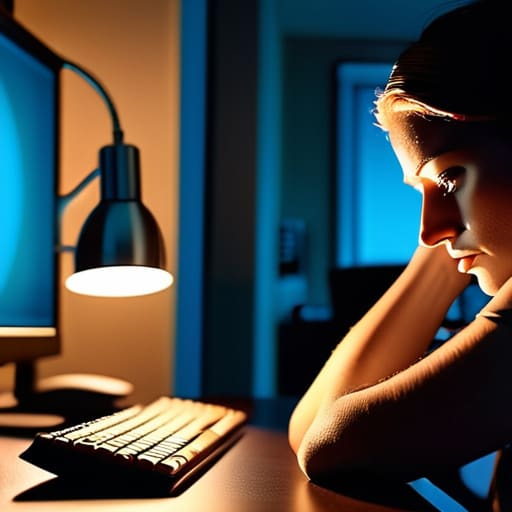
The thing about eye strain is that it rarely arrives with a warning siren. Instead, it’s a slow, creeping fatigue that you usually mistake for just “being tired” or “having a long day.” You’ll find yourself rubbing your temples or squinting at a spreadsheet, thinking you just need more caffeine. But if you’re noticing a dull ache behind your eyes or a sudden, inexplicable headache by 3:00 PM, those are the classic computer vision syndrome symptoms trying to tell you something.
Don’t wait until your vision gets blurry to take it seriously. Pay attention to the subtle cues: that gritty, “sand in my eyes” feeling is a dead giveaway for preventing dry eyes from computer use—or rather, failing to do so. We tend to blink significantly less when we’re deep in a flow state, which is exactly when the damage happens. If you start feeling like you’re looking through a fog, your system is already redlining. It’s much easier to adjust your workflow now than to try and recover once you’ve reached a state of total ocular burnout.
The 20 20 20 Rule for Eye Health Without the Fuss
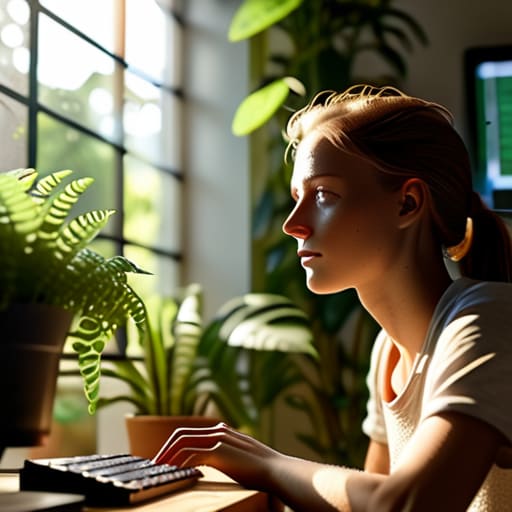
The 20-20-20 rule for eye health sounds like one of those wellness trends designed to fail, but it’s actually one of the few things that actually works because it requires zero equipment. The concept is simple: every twenty minutes, look at something twenty feet away for at least twenty seconds. It’s not about a deep meditative retreat; it’s just a manual reset for your eye muscles. When we stare at a monitor, we tend to stop blinking naturally, which is a primary culprit in preventing dry eyes from computer use. This little micro-break forces your eyes to shift focus and restores your blink rate.
Now, I know what you’re thinking—you’re too busy to check the clock every twenty minutes. I get it. I don’t have the bandwidth for constant interruptions either. Don’t try to rely on willpower; it’s a losing battle. Instead, automate the reminder. Set a silent vibration on your watch or use a simple desktop app that nudges you. If you treat it like a scheduled system update for your body, it stops feeling like a chore and starts feeling like a standard operating procedure.
Five Practical Adjustments to Stop the Squinting
- Fix your lighting once and for all. If you’re working under a harsh overhead light or sitting with a window glaring directly behind your monitor, you’re fighting a losing battle. Aim for soft, indirect light, and if you can, position your screen perpendicular to windows to kill that annoying glare.
- Stop treating your monitor like a television. It should be about an arm’s length away, and the top of the screen should be at or slightly below eye level. If you’re constantly tilting your head up or leaning in to read, your neck and eyes are going to pay the price by 3:00 PM.
- Dial in your text size. I see people white-knuckling their mouse to zoom in and out constantly. Just go into your system settings and bump up the scaling. If you can’t read your emails comfortably at a glance, your settings are wrong. Period.
- Clean your gear. This sounds trivial, but a layer of dust and fingerprint grease on your screen creates a haze that forces your eyes to work harder to find focus. Grab a microfiber cloth and wipe it down once a week. It takes thirty seconds and actually makes a difference.
- Use “Night Shift” or similar warm-light modes, but don’t overdo it. Reducing blue light in the evening is great for your sleep cycle, but if your screen looks like a sunset in the middle of a Tuesday morning, you’ll just end up frustrated. Find a middle ground that feels natural, not orange.
The Bottom Line for Your Eyes
Stop waiting for a headache to signal a problem; if your eyes feel heavy or your focus is blurring, your system is already failing.
Don’t overcomplicate it—the 20-20-20 rule is a low-effort, high-reward way to break the digital trance without needing a fancy app.
Treat eye health like any other operational bottleneck: identify the friction, implement a simple fix, and stop letting it drain your energy.
## The Real Cost of Digital Fatigue
“We treat eye strain like an inevitable tax on modern work, but it isn’t. It’s just a symptom of a poorly managed system. You don’t need a high-tech gadget to fix it; you just need to stop treating your eyes like they’re indestructible hardware.”
Diane Sterling-Voss
Stop Treating Your Eyes Like Afterthoughts
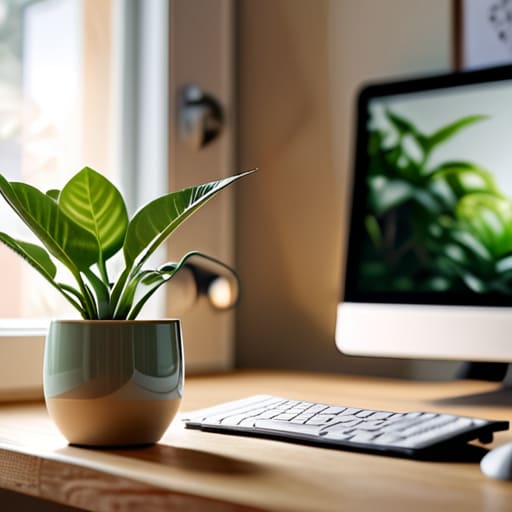
Look, we aren’t going to reinvent the wheel here. Reducing eye strain isn’t about buying a thousand-dollar specialized lamp or downloading some complex bio-hacking app that sends you notifications every five minutes. It’s about the basics: recognizing the early signs of tension, implementing the 20-20-20 rule, and actually adjusting your physical workspace so you aren’t fighting your hardware all day. If you can manage to catch the headache before it turns into a migraine and keep your screen at a sensible distance, you’ve already won half the battle. It’s about eliminating the friction between your vision and your work, not adding more tasks to an already overflowing to-do list.
At the end of the day, your eyes are your most important tools, and they shouldn’t feel like they’re being punished for your career. We spend so much time optimizing our workflows, our finances, and our calendars, but we often neglect the very biological systems that allow us to do the work in the first place. Don’t wait until you’re squinting at a blurry screen to realize something is wrong. Build these small, low-effort habits into your routine now. You deserve to finish your workday with enough mental bandwidth left over to actually enjoy your evening, rather than just staring blankly into space because your head is throbbing.
Frequently Asked Questions
Does buying blue light blocking glasses actually do anything, or is it just expensive marketing?
Look, I’ll give it to you straight: for most people, they’re mostly marketing fluff. If you’re looking for a magic shield against digital fatigue, you’re going to be disappointed. Unless you’re a night owl working under harsh fluorescent lights, the real culprit isn’t the blue light itself—it’s the fact that you aren’t blinking enough. Save your money. Instead, invest in a high-quality monitor or adjust your screen’s color temperature settings. That’s a system that actually works.
How do I adjust my monitor settings without spending an hour fiddling with complicated menus?
Don’t get lost in the sub-menus. First, bump your brightness so the screen doesn’t look like a glowing flashlight in a dark room; it should match the ambient light around you. Next, check your scaling settings—if you’re squinting to read text, just scale it up to 125%. Finally, toggle on “Night Light” or a blue light filter. It’s a one-click fix that stops that harsh, artificial glare from frying your focus.
If I'm working in a dark room at night, does that make the eye strain worse or better?
Working in a dark room is a mistake. It forces your pupils to constantly fight between the bright glare of the screen and the void of the surrounding shadows. It’s exhausting for your eye muscles. If you’re working late, don’t sit in the dark; turn on a lamp or use some ambient bias lighting behind your monitor. You need a balanced light level to stop that constant, draining tug-of-war happening behind your eyes.





