
I spent a decade in corporate operations watching brilliant people drown in “productivity ecosystems” that were essentially just digital junk drawers. I’ve seen executives spend thousands on high-end tablets and subscription-based software, only to realize they’ve spent more time organizing their thoughts than actually thinking them. Most of the trendy note taking methods being pushed by influencers right now are just elaborate ways to procrastinate. If your system requires a PhD in software architecture just to record a simple meeting takeaway, it isn’t a tool—it’s a chore.
I’m not here to sell you on a new app or a complex color-coding ritual that will fall apart the moment your Tuesday gets chaotic. Instead, I’m going to walk you through a few stripped-back, battle-tested approaches that actually survive contact with reality. We’re going to look at note taking methods that prioritize retrieval over aesthetics, ensuring that your information is actually there when you need it, rather than buried under a mountain of digital clutter. Let’s get practical.
Table of Contents
Mastering the Cornell Note Taking System Without the Fluff
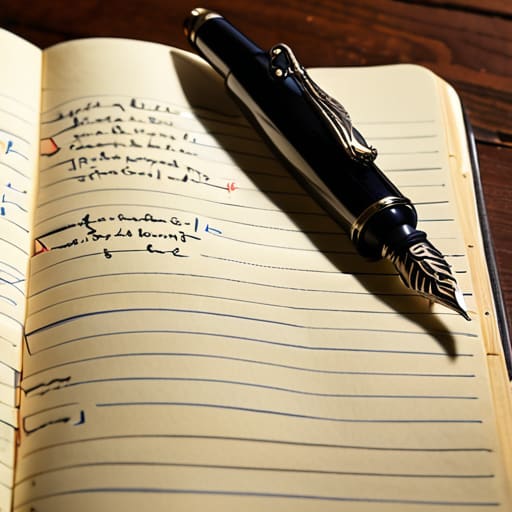
The Cornell note taking system gets a bad rap because people try to turn it into a rigid, aesthetic chore. They spend more time drawing perfect margins than actually processing information. In my experience, the magic isn’t in the lines; it’s in the division of labor. You divide your page into three distinct zones: the narrow left column for cues, the wide right column for raw notes, and a small strip at the bottom for a summary. It’s about creating a functional hierarchy that forces you to engage with the material rather than just transcribing it like a stenographer.
When you’re in the middle of a meeting or a lecture, don’t sweat the summary part yet. Focus on the right-hand column using active listening and note taking principles—capture the “why” and the “how,” not just the “what.” Once the session ends, go back to those cues on the left. This is where you turn passive scribbles into retrievable intelligence. If you can’t summarize the page in two sentences at the bottom, you didn’t actually learn it; you just moved ink around a page.
Digital vs Analog Note Taking Choosing Your Real World Tool
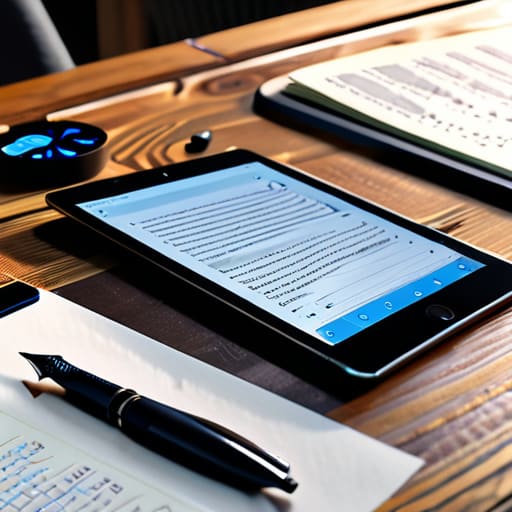
I’ve spent years oscillating between a high-end tablet and my trusty ink-on-paper planner, and if there is one thing I’ve learned, it’s that the debate of digital vs analog note taking isn’t about which one is “better”—it’s about which one survives your workflow. Digital tools are unbeatable for speed and searchability. If you are organizing lecture notes or massive project files, being able to `Ctrl+F` a keyword saves a ridiculous amount of mental bandwidth. However, the temptation to switch tabs or check an email notification is a constant friction point that can derail your focus.
Analog, on the other hand, forces a certain level of intentionality. There are no notifications on a piece of paper. When I’m practicing active listening and note taking during a high-stakes meeting, the tactile act of writing helps me process information more deeply than mindless typing ever could. If you find yourself constantly distracted by your screen, try a hybrid approach: use digital for the long-term archive, but keep a physical notebook for the actual heavy lifting of thinking.
Five Rules for Keeping Your Notes from Becoming Digital Junk
- Stop transcribing everything. If you’re trying to write down every single word your boss or a professor says, you aren’t actually processing information—you’re just acting as a human stenographer. Listen for the core concept, wait for the beat, and then write down the essence in your own words.
- Build in a five-minute “cleanup” buffer. Notes are useless if they’re a cryptic mess of shorthand you can’t decipher three days later. Spend five minutes at the end of your workday or study session highlighting key terms or adding a single sentence of context so your future self isn’t left guessing.
- Use a consistent shorthand that actually makes sense to you. Don’t bother with complex symbols you’ll forget by next week. Stick to simple things: an asterisk for “action item,” a question mark for “needs follow-up,” and an arrow for “leads to.” It keeps the friction low and the speed high.
- Context is king. A random list of numbers or names means nothing without a header. Every single note entry needs a date, a project name, or a specific meeting title. Without that metadata, your notes aren’t a system; they’re just a graveyard of forgotten thoughts.
- Know when to stop. There is a massive difference between a “comprehensive” note and a “useful” note. If the effort required to organize the note is starting to eat into the time you should be spent actually doing the work, your system is broken. Simplify until the friction disappears.
The Bottom Line
Stop searching for the “perfect” method and start using the one that actually survives your busiest days.
Match your tool to your task—use analog for deep focus and digital for quick retrieval, but don’t let the tech become a distraction.
A note-taking system is only as good as your review process; if you never look at them again, you’re just creating digital clutter.
The Goal of a System
A note-taking method isn’t a way to collect data; it’s a way to stop your brain from having to hold onto it. If your system requires more maintenance than the information it’s supposed to save, it’s not a tool—it’s a chore.
Diane Sterling-Voss
Stop Searching for the Perfect System
At the end of the day, whether you’re leaning into the structured rigor of the Cornell method or finding your rhythm with a simple analog notebook, the goal remains the same: reducing cognitive load. We’ve looked at how to balance the precision of digital tools with the tactile reliability of paper, and how to choose a framework that actually fits your workflow rather than adding another chore to your to-do list. Don’t get paralyzed by the choice between apps and ink; just pick the one that feels least intrusive to your current process. The best system isn’t the one with the most features, but the one that actually survives a chaotic Tuesday.
My advice? Start small and start today. You don’t need a complete organizational overhaul to see a difference in your mental clarity. Pick one method, test it for a week, and if it feels like more work than it’s worth, scrap it and move on. We aren’t looking for perfection here; we are looking for utility. Once you stop fighting your tools and start using them to capture ideas, you’ll find you have much more headspace for the work that actually moves the needle. Now, close this tab and go write something down.
Frequently Asked Questions
I have a mountain of existing notes in different formats; how do I consolidate them without losing my mind?
Don’t try to migrate everything at once. That’s a recipe for burnout. Instead, use the “Active Only” rule: only move notes that are relevant to your current projects or upcoming month. For the rest? Archive them in a single folder and let them sit. If they’re actually important, they’ll resurface when you need them. Stop treating your archives like a museum; treat them like a warehouse. Consolidate for utility, not for the sake of tidiness.
When does a note-taking system become a distraction rather than a tool?
It becomes a distraction the moment you spend more time “organizing” than actually thinking. If you’re color-coding tabs, hunting for the perfect font, or setting up complex nested folders instead of just capturing the thought, you’re procrastinating. A system is a tool, not a hobby. If the friction of maintaining the system is costing you more mental bandwidth than the notes are saving you, scrap it. It’s time to simplify.
How do I transition from messy, unstructured scribbles to a repeatable system without it feeling like a chore?
Don’t try to overhaul your entire life overnight; that’s how systems go to die. Start by picking one “anchor” method—like the Cornell system we discussed—and commit to it for just one week. The trick is to lower the barrier to entry. Use a single notebook or one dedicated app. If it feels like a chore, your system is too complex. Simplify the process until it feels less like “admin” and more like muscle memory.





