
I spent fifteen years in corporate offices where “productivity” was often measured by how many hours you sat visibly tethered to a desk, but transitioning to freelance consulting taught me something much more brutal: most remote work tips you find online are absolute garbage. I am tired of seeing influencers suggest you buy a $500 ergonomic chair or a subscription to a “focus app” that ends up being just another distraction. If your system requires a PhD in software integration and a massive budget just to get through a Tuesday afternoon, it isn’t a system—it’s a hobby.
I’m not here to sell you on a lifestyle of aesthetic desk setups or performative morning routines. Instead, I’m going to give you the battle-tested frameworks I use to keep my own operations running without losing my mind to digital fatigue. We are going to focus on high-leverage, low-friction habits that actually protect your mental bandwidth. No fluff, no expensive gadgets, just straightforward systems designed to help you do your job and then actually log off.
Table of Contents
Stop Over Engineering Your Home Office Setup Ideas
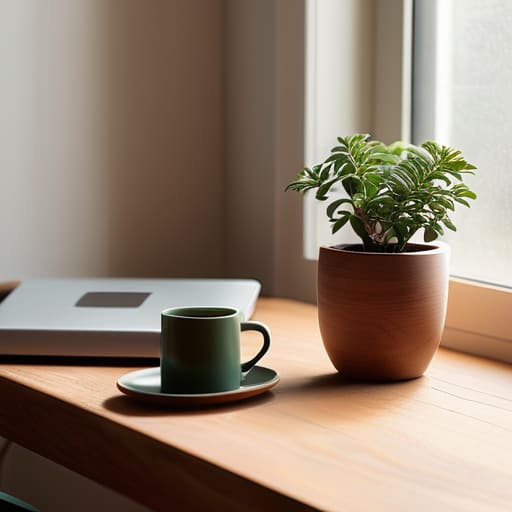
I see people spending thousands on ergonomic chairs that look like they belong in a sci-fi movie, thinking a $1,200 seat is the magic fix for their focus. It isn’t. Most of these complex home office setup ideas are just distractions in disguise. You don’t need a triple-monitor array or a smart-desk that tracks your posture every thirty seconds. In fact, the more “features” you add to your workspace, the more mental bandwidth you waste managing them.
Instead, strip it back to the basics: a stable surface, decent lighting, and a chair that doesn’t hurt after two hours. If you want to actually improve your output, focus on reducing friction rather than adding gear. One of my favorite low-effort systems is a dedicated “end-of-day” ritual—clearing your desk of everything except your physical planner for the next morning. This simple act is a much more effective form of remote work burnout prevention than any high-tech gadget. Stop trying to build a command center and just build a space that allows you to sit down and actually get to work.
Practical Remote Work Productivity Hacks for Messy Tuesdays
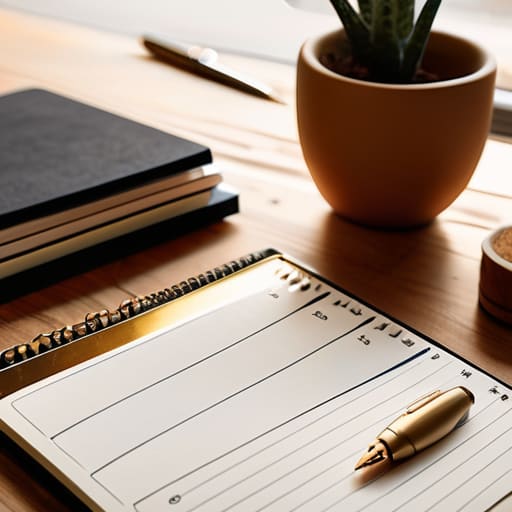
Tuesday afternoons are where most productivity systems go to die. You start the morning with a pristine to-do list, but by 2:00 PM, a sudden household distraction or a cascading series of Slack notifications has derailed your entire trajectory. When things get messy, stop reaching for complex new apps. Instead, implement a low-friction triage system. If a task takes less than two minutes, do it immediately to clear the mental clutter. If it takes longer, it goes into the physical planner on my desk—not a digital queue that you’ll just ignore.
The goal isn’t to be a machine; it’s about remote work burnout prevention. When the boundary between “home” and “office” blurs, your brain never truly exits work mode. I’ve found that setting a hard “digital sunset” is more effective than any elaborate scheduling technique. Once that time hits, close the laptop and physically move to a different room. These aren’t flashy remote work productivity hacks designed for a productivity influencer’s highlight reel; they are simple, slightly boring boundaries that keep you from hitting a wall by Thursday.
Low-Friction Systems for Staying Sane While Working from Home
- Stop relying on “motivation” to start your day. Motivation is fickle and usually disappears by 2:00 PM. Instead, build a ritual that signals to your brain that the workday has begun—whether that’s a specific cup of coffee or putting on a pair of actual shoes. It’s not about being fancy; it’s about creating a predictable trigger.
- Implement a “Communication Batching” rule. If you respond to every Slack notification or email the second it pings, you aren’t working; you’re just reacting. Set three specific times a day to clear your inbox and messages. Outside of those windows, close the tabs. Your deep work deserves more than a constant stream of interruptions.
- Treat your “End of Day” like a hard stop, not a suggestion. When you work from home, the boundary between “office” and “living room” dissolves instantly. Pick a time, close the laptop, and physically move to a different room. If you don’t create a mental and physical barrier, you’ll find yourself answering emails at 9:00 PM, and you’ll burn out before the week is over.
- Simplify your decision-making by automating your lunch. The “what should I eat?” internal debate at noon is a massive, unnecessary drain on your cognitive energy. Pick three go-to meals that require minimal prep and rotate them. Save your brainpower for the actual tasks that matter, not for deciding between a salad and a sandwich.
- Use a “Shutdown List” to clear your head. Ten minutes before you finish, write down the three most important things you need to tackle tomorrow. This prevents that nagging feeling of “did I forget something?” from following you into your evening. It moves the mental load from your brain onto the paper, allowing you to actually relax.
The Bottom Line for Your Tuesday Afternoon
Stop chasing the “perfect” setup; a functional desk with decent lighting and a clear workspace beats a thousand-dollar ergonomic overhaul every single time.
Protect your deep-work windows with ruthless efficiency, because if you don’t guard your focus, your inbox will gladly steal it for you.
Build systems that accommodate your messiest days rather than trying to outrun them—consistency is better than perfection.
The Trap of Digital Optimization
“Most people spend more time configuring their productivity apps than actually doing the work. If your ‘system’ requires a thirty-minute setup every morning just to get started, it’s not a tool—it’s another chore on your to-do list.”
Diane Sterling-Voss
The Bottom Line

At the end of the day, remote work isn’t about finding the perfect ergonomic chair or mastering a complex new project management software. It’s about stripping away the noise. We’ve talked about simplifying your physical space, guarding your deep-work windows, and accepting that some days are just going to be chaotic. The goal isn’t to achieve some sterile, Instagram-perfect version of productivity; it’s to build a functional framework that survives the reality of a ringing doorbell or a sudden deadline. If a system feels like it’s adding more weight to your mental load than it’s lifting, toss it out.
Don’t let the pursuit of “optimization” become another item on your to-do list that makes you feel behind. You don’t need to overhaul your entire existence by Monday morning. Just pick one thing—one small, repeatable habit—and see if it actually makes your Tuesday afternoon a little less heavy. Productivity should serve your life, not the other way around. Once you stop fighting the friction and start managing it, you’ll find you have more than just time left over; you’ll have the mental bandwidth to actually enjoy the life you’re working so hard to build.
Frequently Asked Questions
How do I set boundaries with my family or roommates when my "office" is also my living room?
Stop expecting people to read your mind. If you don’t signal that you’re “at work,” they’ll treat your presence as availability. Use a physical cue—a specific lamp turned on, a pair of noise-canceling headphones, or even a closed door. It sounds simple, but it works. Tell them: “When the lamp is on, I’m in a meeting. When it’s off, I’m back in the room.” Clear boundaries beat constant negotiations every single time.
What do I do when the isolation starts getting to me, but I don't have the energy for a full social life?
Don’t mistake “socializing” for “performing.” When my walls start closing in, I don’t schedule a dinner party; I just go to a coffee shop with my laptop. I don’t need to talk to anyone, I just need to be in the orbit of other humans. If that’s too much, try a low-stakes voice note to a friend. It’s less draining than a Zoom call but keeps the connection tethered. Keep it low-friction.
How can I stay visible to my boss and team without spending my entire day stuck in unnecessary Zoom meetings?
Stop trying to “perform” productivity through constant video calls; it’s a massive time sink. Instead, switch to high-signal, low-friction updates. Send a concise Friday wrap-up email or a brief Slack summary of your weekly wins and upcoming priorities. It creates a paper trail of your value without the Zoom fatigue. Visibility isn’t about being seen on camera; it’s about making your output impossible to ignore. Keep it brief, keep it documented, and get back to work.





